
NotifyLA and Alert LA County are useful starting points for receiving official emergency information in the Los Angeles area. Understanding which service covers your important locations is part of preparedness, especially if you live, work, study, or care for someone in different communities.
Registering is one step. You also need to recognize the difference between a local subscription, a Wireless Emergency Alert, and information shared by someone else. A clear routine for checking messages helps your household turn an alert into an appropriate action.
NotifyLA and Alert LA County Serve Different Local Roles
NotifyLA: The City of Los Angeles
NotifyLA is the City of Los Angeles mass notification system. The city describes it as a free service that sends emergency information through recorded phone calls, texts, and emails. Messages can include protective instructions, such as evacuation notices, for affected locations.
Use the official city page to begin registration. Review the phone numbers, email addresses, and locations attached to your household’s account. The city encourages people to register their numbers even though some contact information may already be included in its system.
Alert LA County: The County Program
Alert LA County is the county’s opt-in notification program for emergency messages by text, email, or phone. The county’s information page also explains other alerting methods and links to the current registration service.
Follow that official link instead of an old saved registration address or a screenshot of instructions. Providers and account interfaces can change. Beginning with the agency’s own page reduces the chance of following obsolete steps.
Choose Services Based on Places You Actually Use
Write down home, work, school, and caregiving locations before registering. Then check the local government responsible for each place and the alert resources it recommends. A mailing address or neighborhood nickname alone is not a reliable way to decide which program applies.
If your routine crosses county lines, the state’s CalAlerts signup directory can help you locate other county programs. California’s guidance specifically allows for signing up where you work as well as where you live.
Keep the list focused on places that matter to you. Discuss why each location is included, who needs updates about it, and how you will handle information when a household member is temporarily away.
Complete a Registration Review
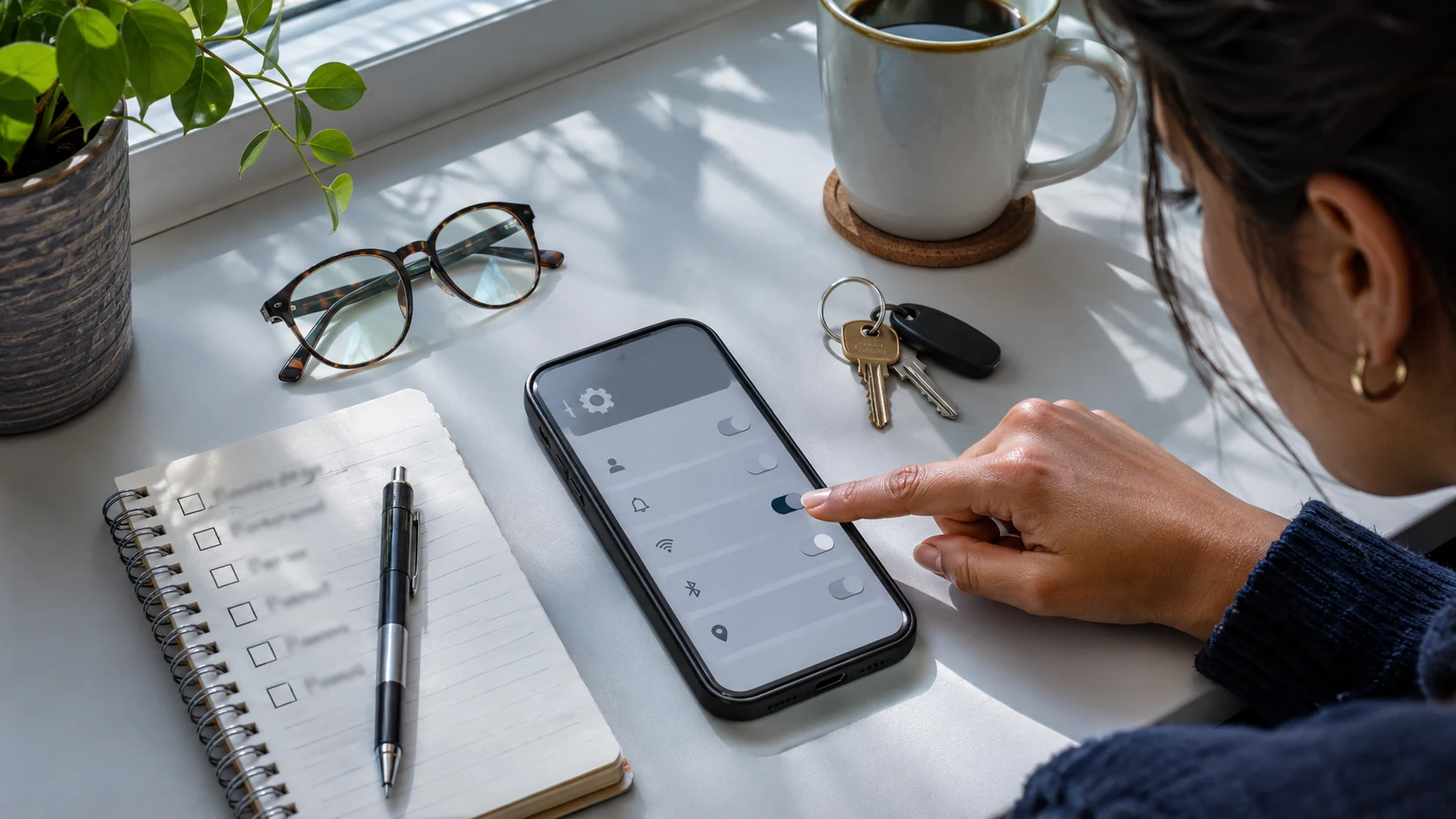
- Confirm that your contact details are accurate and still in use.
- Check the saved locations and remove entries that no longer apply.
- Review the delivery choices offered by the service.
- Complete any verification steps shown in the official registration process.
- Record where account information is kept so that you can update it later.
Understand Wireless Emergency Alerts
A Wireless Emergency Alert, often shortened to WEA, is a separate channel from a local opt-in text subscription. The National Weather Service explains that authorized government agencies send these messages through participating mobile networks to compatible phones in an affected area. A separate signup or app is not required.
Review the emergency alert settings available on your own device. Menu names vary, so use the manufacturer’s or carrier’s instructions instead of assuming another person’s screenshots will match your phone. Device capability, settings, and coverage can affect receipt; one phone receiving a message does not guarantee that another will.
Do not interpret the absence of an alert as proof that there is no danger. Maintain other ways to receive official updates and pay attention to instructions from local responders. Alert subscriptions and phone settings work best as parts of a broader information plan.
Read the Entire Message Before Sharing It
When an alert arrives, identify the issuing agency, the location described, the time, and the requested action. Read any boundaries carefully. A notice about one area should not be casually restated as an instruction for every neighborhood in the region.
Follow urgent protective instructions without delaying to collect opinions from a group chat. If you need more context, use the official source named in the message or an agency page you saved earlier. This article provides planning information and does not determine your current evacuation status.
Be particularly careful with screenshots. Cropping can remove a timestamp, and a forwarded image can continue circulating after the situation changes. When sharing an official update, preserve its source, relevant time, and full instructions. Say when you are uncertain about whether an older message remains current.
Decide How Your Household Will Respond
Choose who will check official updates and who will contact people who need assistance. This does not make one person responsible for guaranteeing everyone’s safety. It simply reduces confusion about who is doing which task.
Include these roles in a family emergency communication plan. Agree on a short check-in message and a backup contact. If you are apart, an update should make clear where the sender is and whether they are following an instruction or simply sharing information.
Consider access needs during setup. Ask household members which message formats work for them and whether they need help reading, hearing, or understanding an alert. Review the accessibility options described by the official services, then practice the household arrangements you choose.
Keep a Backup Information Channel Ready
Phone alerts are only one part of preparation. Think about how you will stay informed if a phone is unavailable, its battery is low, or your usual internet connection stops working. A battery-powered broadcast radio can provide another way to receive information when local stations are broadcasting it.
Choose equipment you can operate and check reception before relying on it. Our guide to emergency radios for Los Angeles households explains the differences between broadcast receivers, weather radios, and devices used for two-way communication.
Keep a written note identifying the sources you intend to use and where the radio is stored. Make the arrangement easy for someone else to follow. If the usual person is away, another household member should be able to locate the equipment and recognize the official information pages.
Maintain Your Setup Without Waiting for an Emergency
Review registrations after moving, changing phone numbers, replacing a device, or adjusting caregiving arrangements. Check the official program pages for changes when you do that review. Avoid assuming that an account created years ago still reflects your current household.
Try a short practice conversation using a clearly labeled, invented scenario. Ask where the official update would be found, who would contact a relative, and how the household would distinguish a current instruction from an old screenshot. Keep practice messages separate from real alerts.
The goal is a manageable routine: accurate registrations, familiar official sources, a backup information channel, and people who know their roles. Those practical choices make emergency information easier to understand when attention and time are limited.